Introduction: Your Google Profile Might Be Doing More Work Than Your Website
Google Business Profile optimization is one of the simplest local marketing moves a small business can make.
And somehow, it is also one of the most ignored.
A lot of business owners treat their Google Business Profile like a basic listing.
Name.
Address.
Phone number.
Hours.
Done.
Then they wonder why the business is not showing up better, why competitors look more active, or why customers keep asking questions that should already be answered online.
Here is the reality.
Your Google Business Profile may be the first place customers judge your business.
Before they visit your website, they may see your reviews.
Before they call, they may check your hours.
Before they ask for directions, they may look at your photos.
Before they trust you, they may compare you to three other businesses nearby.
And if your profile looks outdated, incomplete, or neglected, that sends a message.
Not the message you want.
But still a message.
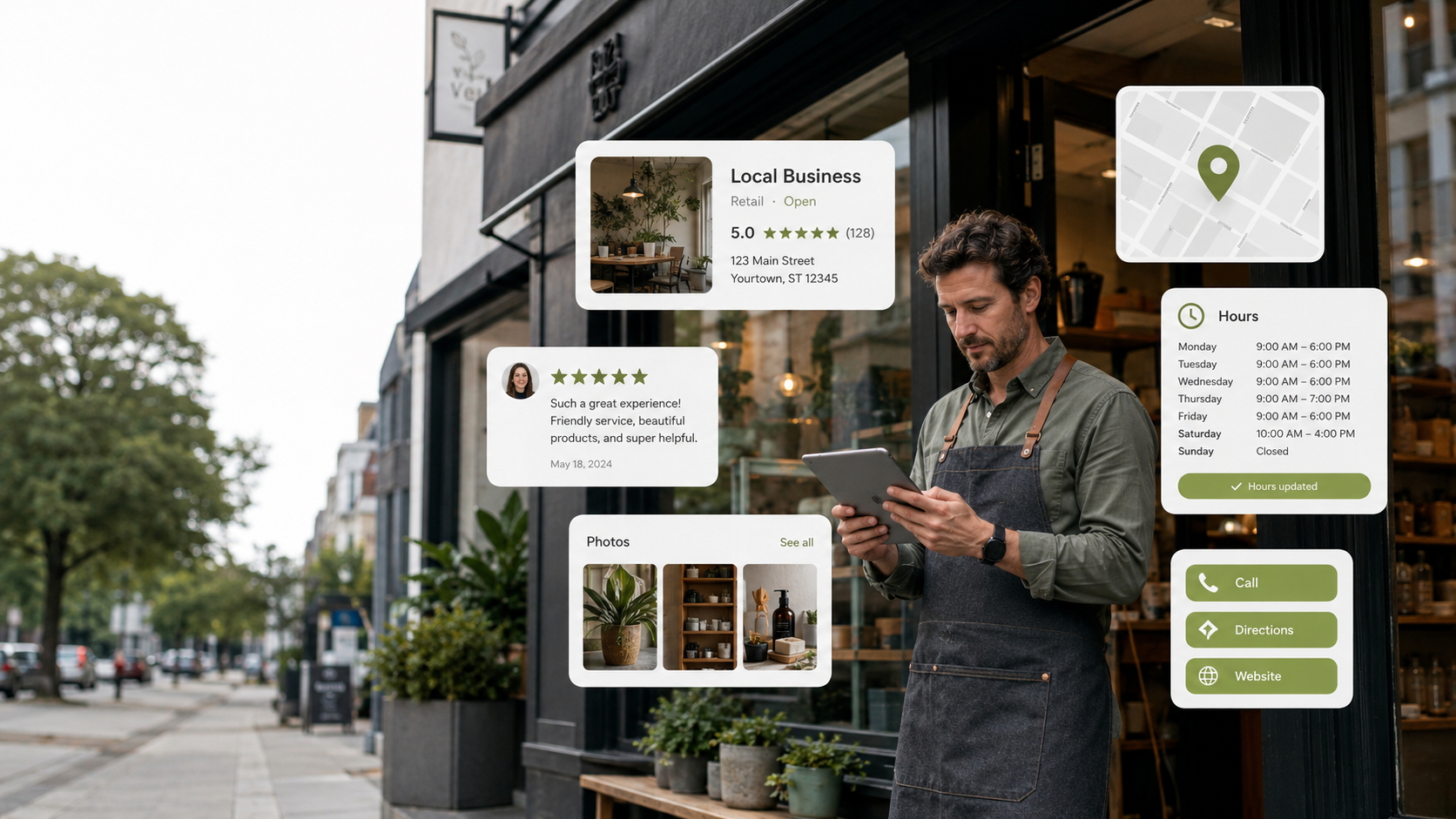
A strong Google Business Profile helps customers understand who you are, what you do, where you are, when you are open, what people say about you, and how to take action.
It is not just a map listing.
It is a local trust page.
And for some businesses, it may be the most viewed digital asset they have.
That is why Google Business Profile optimization matters.
Not because it is trendy.
Not because every marketing person needs another phrase to toss around like confetti.
Because local customers are already using Google to decide where to go, who to call, and who feels safe to choose.
This guide breaks down:
- What Google Business Profile optimization means
- Why it matters for local visibility
- What customers look for on your profile
- The biggest mistakes businesses make
- How to improve your profile without overcomplicating it
- How to connect your profile to reviews, content, calls, and follow-up
Because being listed is not the same as being trusted.
Your profile should not just exist.
It should help people choose you.
Quick Answer: What Is Google Business Profile Optimization?
Google Business Profile optimization is the process of improving your business profile on Google Search and Maps so customers can find accurate information, see trust signals, read reviews, view photos, understand your services, and take action.
It helps local businesses look active, credible, and easier to contact.
Why Google Business Profile Optimization Matters
Your Google Business Profile is often a high-intent touchpoint.
That means people who see it may already be looking for a business like yours.
They are not casually scrolling.
They are searching.
They may need a dentist, salon, restaurant, contractor, gym, repair service, consultant, boutique, studio, or local provider.
That is a valuable moment.
And in that moment, your profile has to do a lot of work quickly.
It needs to show:
- You are real
- You are active
- You are nearby
- You are trusted
- You provide the service they need
- You are easy to contact
- Other people had good experiences
Google’s official Business Profile page explains how businesses can use a free Business Profile to appear on Google Search and Maps, add photos, share posts, manage reviews, and help customers connect.
That is not a small thing.
For local businesses, Google is often the first door people walk through.
If that door looks dusty, broken, or confusing, customers may not keep walking.
What Customers Look At Before They Contact You
Customers may not carefully study every part of your profile.
But they scan more than you think.
They look for fast trust signals.
Reviews
Reviews are usually one of the first things people notice.
They look at the star rating.
They look at the number of reviews.
They read recent comments.
They check how you respond.
A business with strong reviews and thoughtful responses feels more active and credible.
A business with unanswered reviews may look like nobody is paying attention.
Google’s Business Profile Help Center includes guidance for managing profile details, reviews, photos, settings, and other Business Profile basics. That matters because review responses show future customers how you communicate.
Your response is not only for the person who left the review.
It is for everyone watching.
Photos
Photos help people picture the experience.
They want to see the space, the work, the product, the team, the menu, the results, or the environment.
Old photos can create uncertainty.
Low-quality photos can lower confidence.
No photos at all can make a business feel invisible.
Your profile photos should answer silent questions.
What does this place look like?
What kind of work do they do?
Does this feel clean, current, and professional?
Would I feel comfortable here?
Hours
Wrong hours create frustration fast.
If someone drives to your business and finds out the hours were wrong, that is not just an information issue.
That is a trust issue.
Hours should be updated for holidays, special events, seasonal changes, and temporary closures.
Services
Your profile should make it clear what you offer.
If people cannot tell whether you provide the service they need, they may move to a competitor.
Do not make them guess.
List your main services clearly.
Website and Contact Options
Your profile should make the next step easy.
Call.
Visit website.
Get directions.
Book.
Message.
Whatever action matters most, make sure it works.
If the phone number is wrong, the website link is broken, or the booking option is missing, that is a conversion leak.
A small one at first.
Then it becomes a pattern.
The Biggest Google Business Profile Mistakes
Most businesses do not ignore their profile on purpose.
They set it up once and then forget it exists.
That is how problems start.
Mistake 1: Treating the Profile Like a Static Listing
Your profile should not be a digital business card sitting in a drawer.
It should be updated.
Add photos.
Respond to reviews.
Update services.
Check hours.
Share occasional posts.
Keep the information fresh.
A profile that looks active creates more confidence than one that looks abandoned.
Mistake 2: Not Responding to Reviews
Reviews should not be ignored.
Positive reviews deserve acknowledgment.
Negative reviews deserve calm, professional responses.
Even short responses matter.
They show that someone is present.
They show that the business cares.
They show future customers how you handle feedback.
No response can look like silence.
And silence online gets interpreted in weird ways.
People start filling in the blanks like they are writing fan fiction about your customer service.
Do not let them.
Mistake 3: Using Weak or Outdated Photos
Photos affect trust.
If your photos are old, dark, blurry, random, or inconsistent, your profile may feel less professional.
You do not need a full commercial photo shoot every week.
But you do need current visuals.
Good photo ideas include:
- Exterior storefront
- Interior space
- Staff or team photos
- Product photos
- Service examples
- Before-and-after results
- Behind-the-scenes images
- Seasonal updates
The goal is to make the business feel active and real.
Mistake 4: Missing Service Details
If your services are vague or incomplete, your profile may not answer customer questions.
Be specific.
A dental office should list important service categories.
A salon should list core services.
A contractor should list project types.
A consultant should list solution areas.
A restaurant should keep menu details and photos current.
Clarity helps customers decide faster.
Mistake 5: No System for Review Collection
You cannot rely on random review luck forever.
Happy customers often need a simple reminder.
That does not mean pressure.
It means making the process easy.
Ask at the right time.
Send the right link.
Follow up politely.
Then respond when reviews come in.
A review system helps your profile grow over time instead of sitting there waiting for magic.
Mistake 6: No Follow-Up After Calls or Clicks
A Google profile can drive calls, website visits, direction requests, bookings, and messages.
But what happens after that?
If someone calls and nobody answers, you may lose the lead.
If someone submits a form and no one follows up, trust drops.
If someone clicks to your website and the site is outdated, the profile did its job but the system broke somewhere else.
That is why Google Business Profile optimization should connect to your bigger digital presence.
The profile is one piece.
The follow-up system is the next piece.
How to Optimize Your Google Business Profile
You do not need to make this complicated.
Start with the fundamentals.
Step 1: Confirm Your Business Information
Make sure your business name, address, phone number, website, and hours are accurate.
If anything is wrong, fix it.
Google’s Business Profile Help Center can help with managing profile details, ownership, photos, settings, and other profile basics.
You want the profile to match reality.
No confusion.
No old phone numbers.
No mystery hours.
No outdated links.
Step 2: Add Better Photos
Photos are one of the easiest ways to improve trust.
Start with:
- Exterior photo
- Interior photo
- Team or owner photo
- Product or service photos
- Work examples
- Customer experience visuals
- Updated seasonal images
Keep the photos real.
Overly polished stock photos can feel fake.
Real photos help customers understand what to expect.
If you need design assets for branded posts, banners, or social content that supports your local presence, Envato Elements can help with templates, graphics, and visual assets.
Just do not use templates as a replacement for real business photos.
Use them to support the story.
Step 3: Improve Your Services
Review your service list.
Add your main services.
Remove outdated ones.
Use plain language.
Think like a customer.
Do not only list internal terms your industry uses. Use the words customers actually search and understand.
If someone needs help fast, they should not need a translator.
Step 4: Respond to Reviews
Set a schedule.
Once or twice a week is enough for many businesses.
Respond to positive reviews with appreciation.
Respond to negative reviews calmly and professionally.
Do not argue.
Do not get spicy in the review section. That is not the place to audition for courtroom drama.
Your response should show future customers that you are reasonable, attentive, and committed to improving the experience.
Step 5: Post Updates When Useful
Google Business Profile posts can be used for updates, offers, announcements, events, and timely information.
You do not need to post constantly.
But occasional updates can show that the business is active.
Good post ideas include:
- New service announcements
- Seasonal reminders
- Promotions
- Event updates
- Helpful tips
- Customer review highlights
- Before-and-after examples
- Holiday hours
Keep posts short and useful.
Step 6: Check Your Website Link
Your Google profile may send people to your website.
Make sure that link goes somewhere helpful.
Do not send people to a confusing homepage if there is a better service page.
If your profile is about appointments, link to booking.
If your profile is about a specific service, send people to that service page.
Every click should have a purpose.
If your website also needs cleanup, Google’s SEO Starter Guide is a useful starting point for understanding how to structure content in a way that helps both users and search engines.
Step 7: Connect Calls and Forms to a CRM
This is where a lot of businesses lose the opportunity.
The profile gets attention.
The phone rings.
The business misses the call.
Or the contact form comes in.
Nobody follows up quickly.
That is a system problem.
A platform like GoHighLevel can help with forms, calendars, CRM pipelines, missed call text-back, email and SMS follow-up, and review request workflows.
That matters because local visibility is only useful if you capture the interest.
A profile can help people find you.
A system helps make sure they do not disappear.
How Google Profile, Website, Reviews, and Social Media Work Together
Your Google Business Profile should not be treated as a separate marketing island.
It should connect to your bigger digital presence.
Think of it like this.
Your Google profile builds local visibility.
Your reviews build trust.
Your photos build familiarity.
Your website builds clarity.
Your social media shows activity.
Your CRM captures interest.
Your follow-up system turns interest into action.
When those pieces work together, your business looks more complete.
When they are disconnected, customers feel the gaps.
Example:
A customer finds your Google profile.
They see good reviews.
They click your website.
The website looks current.
They understand your services.
They book a consultation.
They get a confirmation.
They receive a reminder.
That feels organized.
Now compare that to:
A customer finds your profile.
The photos are old.
The reviews are unanswered.
The website link is broken.
The phone rings with no answer.
The customer leaves.
That is not a lead problem.
That is a system problem.
What to Update First If Your Profile Is Neglected
If your profile has been ignored, do not panic.
Start with the highest-impact fixes.
First: Fix Accuracy
Correct your hours, phone number, address, website link, and business category.
Accuracy comes before style.
Second: Improve Photos
Add current photos that show the business clearly.
Real photos beat generic visuals.
Third: Respond to Reviews
Start with recent reviews.
Keep responses short, calm, and professional.
Fourth: Update Services
Make sure people can understand what you offer.
Use clear, customer-friendly language.
Fifth: Add a Follow-Up System
Make sure calls, forms, and bookings do not vanish.
Visibility without follow-up is like opening a store and hiding behind the counter.
Tools That Can Help You Manage the System
Tools are not the whole answer.
But they can make the system easier to maintain.
If you need visual templates for profile updates, review graphics, local promotions, or social media support, Envato Elements can help you create more polished marketing assets.
If you need a CRM and automation system to handle calls, forms, booking, review requests, email, and SMS follow-up, GoHighLevel is a strong option for connecting the back end.
But remember this.
A tool does not fix neglect by itself.
You still need a rhythm.
Check the profile.
Update the content.
Respond to reviews.
Capture leads.
Follow up.
That is how your local presence becomes a system instead of another forgotten login.
Build a Google Profile That Makes People Feel Safe Choosing You
Google Business Profile optimization is not about gaming the system.
It is about giving customers better reasons to trust you.
A complete, active profile helps people understand your business faster.
It helps them see proof.
It helps them contact you.
It helps them feel like you are still present and paying attention.
The DIY route is simple enough to start.
Update your information.
Add better photos.
Respond to reviews.
Clarify your services.
Connect your profile to a better website and follow-up process.
But if you do not want to manage all those moving pieces yourself, CLIK Creatives can help build the system for you.
That can include:
- Google Business Profile cleanup
- Review response and reputation workflows
- Review request automation
- Website and profile alignment
- Local content planning
- Social proof graphics
- CRM and missed call follow-up setup
- Booking and lead capture systems
You do not need to treat your Google profile like a dusty listing.
You can turn it into a trust-building local visibility system.
If your profile looks inactive, incomplete, or disconnected from the rest of your marketing, CLIK Creatives can help you clean it up and connect it to a system that supports real customer action.
Quick note: Some links in this article may be affiliate links, which means CLIK Creatives may earn a commission if you buy through them, at no extra cost to you. This keeps things clear for readers and aligned with FTC endorsement guidance.
FAQ
What is Google Business Profile optimization?
Google Business Profile optimization is improving your profile on Google Search and Maps with accurate information, better photos, clear services, review responses, posts, and useful contact options.
Why is Google Business Profile important for local businesses?
It is important because many customers use Google Search and Maps to compare local businesses before calling, visiting, booking, or buying.
Is Google Business Profile free?
Yes. Google offers Business Profiles at no cost for eligible storefront and service-area businesses.
How often should I update my Google Business Profile?
Review it at least once a month. Update hours, photos, services, posts, and contact details whenever something changes.
Should I respond to Google reviews?
Yes. Responding to reviews shows that your business is active and attentive. It also lets future customers see how you communicate. Google’s Business Profile Help Center is a useful resource for managing reviews and other profile details.
What photos should I add to my Google Business Profile?
Add current photos of your exterior, interior, team, products, services, completed work, menu items, or customer experience.
Can Google Business Profile help with local SEO?
Yes. A complete and active profile can support local visibility, especially when paired with accurate information, strong reviews, relevant services, and a clear website.
What is the biggest Google profile mistake?
The biggest mistake is setting up the profile once and ignoring it. An outdated profile can create doubt and make competitors look more trustworthy.
Should my Google profile link to my website?
Yes. Your profile should link to a useful website page that helps visitors understand your services and take the next step.
Do I need automation for my Google Business Profile?
Not always, but automation helps with review requests, missed call follow-up, booking, lead capture, and customer reminders when manual follow-up becomes inconsistent.
2026 Refresh: Treat Google Business Profile as a Reputation System, Not a Listing
Google still describes local visibility around three practical signals: relevance, distance, and prominence. That means a profile cannot be treated as a one-time setup task. It has to stay accurate, active, and connected to the rest of the customer journey.
For a local business, the stronger play is to connect the profile to a reputation system: accurate services, current photos, review requests, review response, click-to-call readiness, booking links, and a website page that can carry the visitor into a real next step.
What to update first
- Confirm the name, address, phone number, hours, services, appointment links, and website URL are accurate.
- Add recent photos that show the real business, not generic stock imagery.
- Route review requests and review responses through a repeatable follow-up process.
- Make sure the landing page people reach from Google has a clear action: call, book, request an audit, or ask a question.
- Track which calls, forms, and bookings came from local search so visibility turns into business intelligence.
CLIK system tie-in: this belongs inside a Google Review and Reputation System, connected to the website and CRM so attention becomes response, not just a profile view.
Related reading: Online Presence for Small Business and How Missed Calls Cost Businesses Money.
Source note: Google Business Profile guidance emphasizes accurate business information and local ranking factors such as relevance, distance, and prominence. Google Search Central also reminds site owners that SEO is about helping search engines understand content and helping people decide whether to visit.