CLIK Creatives Studio

Dental Social Media Marketing: Why More Posts Won’t Fix a Broken Content System

Introduction: A Dental Office Does Not Need Random Posts Dental social media marketing is not about posting more just to look busy. That is where a lot of dental practices get stuck. They know they should be posting. They know patients are online. They know competitors are showing up on Instagram, Facebook, TikTok, Google, and sometimes LinkedIn. So the team starts posting whenever someone remembers. A holiday post here. A smiling stock photo there. A toothbrush tip. A blurry office update. A “Call us today” caption. Then three weeks of silence. Then another random post because someone looked at the page and said, “We probably need to put something up.” That is not a strategy. That is digital whack-a-mole with floss. The real issue is not that the practice needs more posts. The issue is that the practice needs a content system. Dental social media marketing works best when it does three things clearly. It helps patients understand. It helps patients feel safe. It helps patients take the next step. That matters because dentistry is personal. Patients are not just buying a product. They are trusting someone with their health, comfort, appearance, anxiety, family, and money. Even a simple cleaning can carry emotional weight for someone who has had bad dental experiences before. That means dental content has a different job than content for a clothing brand, restaurant, or fitness studio. It has to build trust before it asks for action. A good dental social media system can explain services, reduce fear, show the office experience, answer common questions, highlight patient-safe proof, and make the practice feel active without making the team scramble every week. The goal is not to turn your dental office into a full-time media company. The goal is to help people feel more comfortable choosing you. This guide breaks down what dental social media marketing should actually do, why random posting does not work, what dental practices need to be careful about, and how to build a simple content system that feels professional, ethical, and sustainable. Because more content is not always the answer. Better content with a better system usually is. Quick Answer: What Is Dental Social Media Marketing? Dental social media marketing is the process of using platforms like Facebook, Instagram, TikTok, LinkedIn, and YouTube to educate patients, build trust, show the practice experience, share helpful dental information, and guide people toward appointments. The strongest dental social media marketing is consistent, patient-safe, and connected to a larger system that includes the website, Google Business Profile, reviews, follow-up, and appointment booking. Why Dental Social Media Is Different Dental social media is not just regular local business content with a tooth icon slapped on top. It has its own trust barrier. People may feel nervous about dental treatment. They may worry about cost. They may feel embarrassed about how long it has been since their last visit. They may have dental anxiety. They may not understand the difference between services. They may be comparing multiple practices before choosing one. So the content has to do more than say, “We offer cleanings.” It has to lower uncertainty. A helpful dental post might explain what happens during a first visit. It might walk through the difference between whitening and veneers. It might show what makes a patient feel comfortable during an appointment. It might explain when someone should call about tooth pain. It might introduce the team in a calm, professional way. This kind of content helps patients feel less lost. That is the real job. Dental social media marketing should not feel like a constant sales pitch. It should feel like a steady stream of reassurance. The patient should think, “This place seems organized. They explain things clearly. They feel safe.” That is how content starts doing its job before the patient ever calls. The Problem With Random Dental Posting Random posting usually happens when there is no system behind the content. Someone gets an idea and posts it. Someone remembers a holiday and posts it. Someone sees another dental office doing something and copies the vibe. Someone gets busy and nothing gets posted for a month. Then the cycle repeats. The problem is not only inconsistency. The deeper problem is that random content rarely supports a clear patient journey. A person might visit your social page after seeing your Google profile. They may want to know if the office feels current, friendly, professional, and active. If the page looks abandoned or scattered, it can create doubt. Not because the dental care is bad. Because the online presence does not show the care clearly. A disconnected social page can make a strong practice look less organized than it really is. That is frustrating, but fixable. The answer is not forcing the office manager to become a content strategist between insurance calls. The answer is building repeatable content lanes. What Dental Content Should Actually Do Dental content should have a clear purpose. Some posts should educate. Some should reduce anxiety. Some should show proof. Some should explain services. Some should humanize the practice. Some should guide people toward booking. The balance matters. If every post is a promotion, the page feels pushy. If every post is a fun fact, the page may not drive action. If every post is a team photo, the services may stay unclear. If every post is clinical, the page may feel cold. A strong dental social media system blends education, trust, familiarity, and action. For example, an educational post might explain what plaque is and why regular cleanings matter. A trust post might explain how the office helps nervous patients feel more comfortable. A service post might explain teeth whitening expectations. A proof post might share a review graphic, if handled properly. A conversion post might invite people to schedule a consultation or request an appointment. Each post has a job. That is what makes the system work. Patient Privacy Has to Come First Dental practices have to be careful with social

Read more

Modern Marketing Strategy for Small Business: How to Stop Looking Outdated Online In 2026

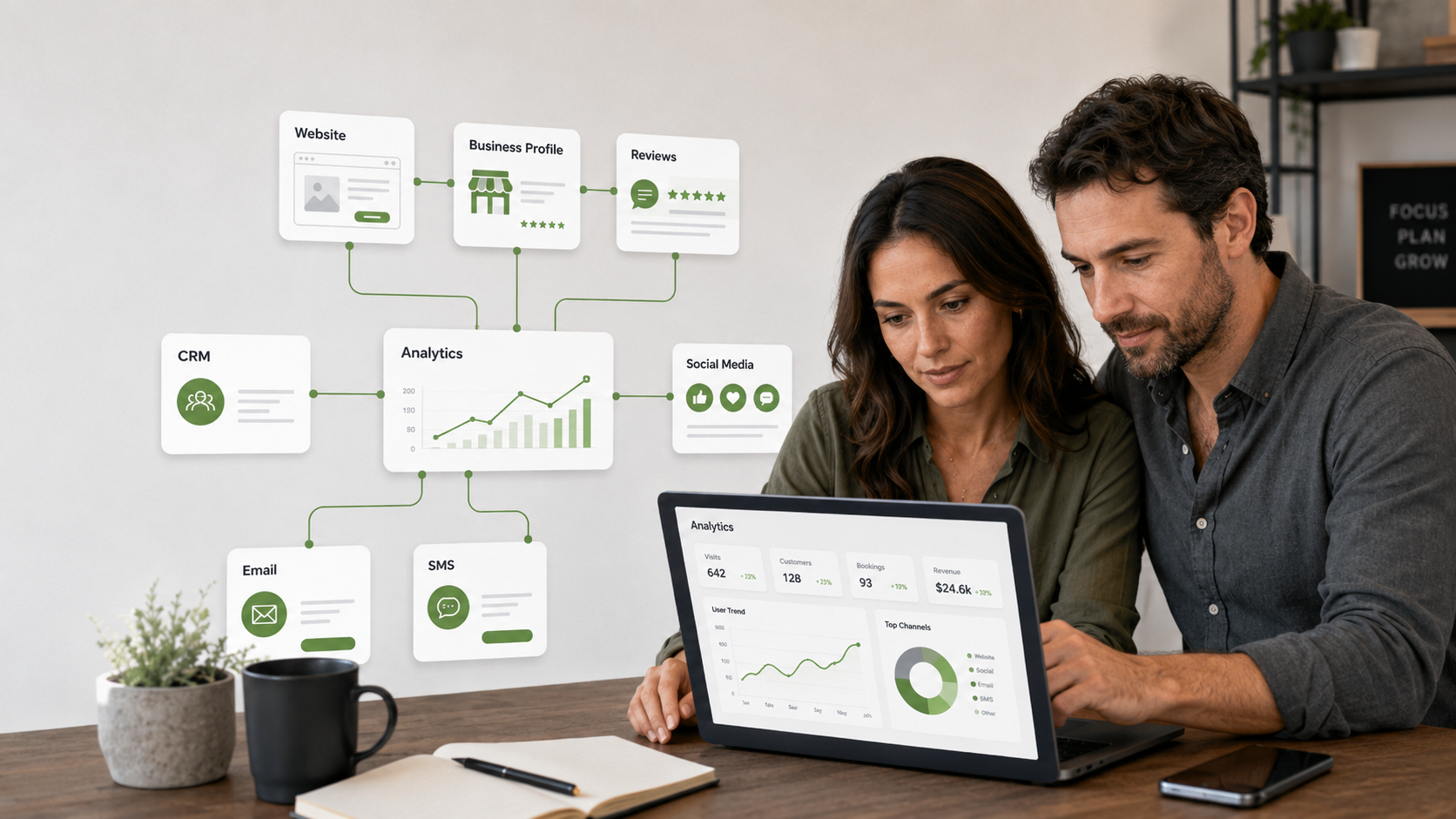
Introduction: Marketing Moved On, Even If Your Business Did Not A modern marketing strategy for small business is not about chasing every trend. It is about making sure your business does not look like it got left behind. That difference matters. A lot of small businesses are good at what they do. They serve customers well. They know their industry. They have experience, quality, and real value. But online, they still look outdated. The website feels old. The Google profile is half-finished. The social media looks inactive. The reviews are not being used. The follow-up is manual. The content is inconsistent. The customer journey feels disconnected. And the owner is wondering why people are not responding like they used to. The answer is not always that the business got worse. Sometimes the market got faster. Customers now compare, research, scan, search, read reviews, watch videos, click profiles, check hours, look at photos, and judge your business before they ever contact you. That means modern marketing is not just advertising. It is the full system that helps people find you, understand you, trust you, contact you, and remember you. If that system feels outdated, customers may move on before you get a chance to explain anything. This is where small businesses need a shift. Not louder marketing. Not more random posting. Not another tool added on top of a messy process. A modern marketing strategy for small business should create clarity, consistency, and connected follow-up. It should make your business easier to find, easier to trust, and easier to choose. This guide breaks down what modern small business marketing actually means, why older approaches are losing power, what pieces matter most now, and how to build a strategy that feels practical instead of overwhelming. Because your business does not need to chase the internet. It needs a system that keeps up with how people decide. Quick Answer: What Is a Modern Marketing Strategy for Small Business? A modern marketing strategy for small business is a connected plan for visibility, trust, content, lead capture, follow-up, and customer experience. It usually includes a clear website, optimized Google Business Profile, useful content, reviews, social media consistency, CRM tracking, email or SMS follow-up, and simple automation. Why Old Marketing Habits Are Not Enough Traditional marketing was often built around interruption. Place the ad. Send the flyer. Run the promotion. Wait for calls. That still has a place in some industries, but customer behavior has changed. People do not only respond to one message anymore. They investigate. They compare. They look for proof. They ask search engines. They ask friends. They read reviews. They watch short videos. They check whether the business looks active. They expect the next step to be easy. This is why a modern marketing strategy for small business has to think beyond promotion. Promotion gets attention. Trust gets action. A business can run ads, but if the website looks outdated, the reviews are ignored, or the booking process is confusing, that attention leaks. A business can post on social media, but if there is no follow-up system, interested people can still disappear. A business can have a Google profile, but if the photos are old and the hours are wrong, customers may choose someone else. Modern marketing is not one move. It is the connection between moves. What Customers Expect Now Customers expect businesses to feel accessible. That does not mean available every second. It means organized. If someone finds your business, they should be able to understand what you offer, see proof, take a next step, and get a response without feeling like they are solving a puzzle. Think with Google’s 2026 digital marketing trends and predictions points to a market shaped by AI, shifting customer behavior, and more empowered consumers. The exact tools will keep changing, but the direction is clear. People expect more control, faster clarity, and better experiences. For small businesses, this does not mean you need to act like a giant corporation. It means the basics need to be clean. Your website should be clear. Your Google profile should be accurate. Your reviews should be visible. Your content should answer real questions. Your follow-up should not depend on memory. Your brand should feel active. That is modern marketing at the small business level. Not complicated. Connected. The Modern Marketing Strategy Starts With Clarity Before tools, platforms, ads, or automation, the message has to be clear. What do you do? Who do you help? Why should someone trust you? What problem do you solve? What happens next? If those answers are fuzzy, everything else becomes harder. A confusing website cannot be saved by better fonts. A vague offer cannot be fixed by more posting. An unclear service page cannot be rescued by a chatbot. Clarity has to come first. Your homepage, service pages, social bios, Google profile, and ads should all point in the same direction. That does not mean every sentence has to match perfectly. It means customers should not feel like they are meeting five different versions of your business. A modern marketing strategy creates one clear signal across all touchpoints. When the signal is strong, people understand faster. When people understand faster, they trust sooner. Your Website Is Still the Home Base Social media matters. Google matters. Email matters. Video matters. But your website is still the place where your business can explain itself fully. A modern website should be fast, mobile-friendly, clear, and built around trust. It should guide people toward the next step. It should not feel like an online brochure from a forgotten drawer. Google’s SEO Starter Guide explains how SEO helps search engines understand your content and helps users find your site and decide whether to visit. That is the heart of a good website. It should make sense to search systems and humans. If your site is slow, confusing, or outdated, it can weaken the rest of your marketing. This is why website strategy is not separate from marketing

Read more

Content Marketing System: How to Stay Visible Without Starting From Scratch Every Week

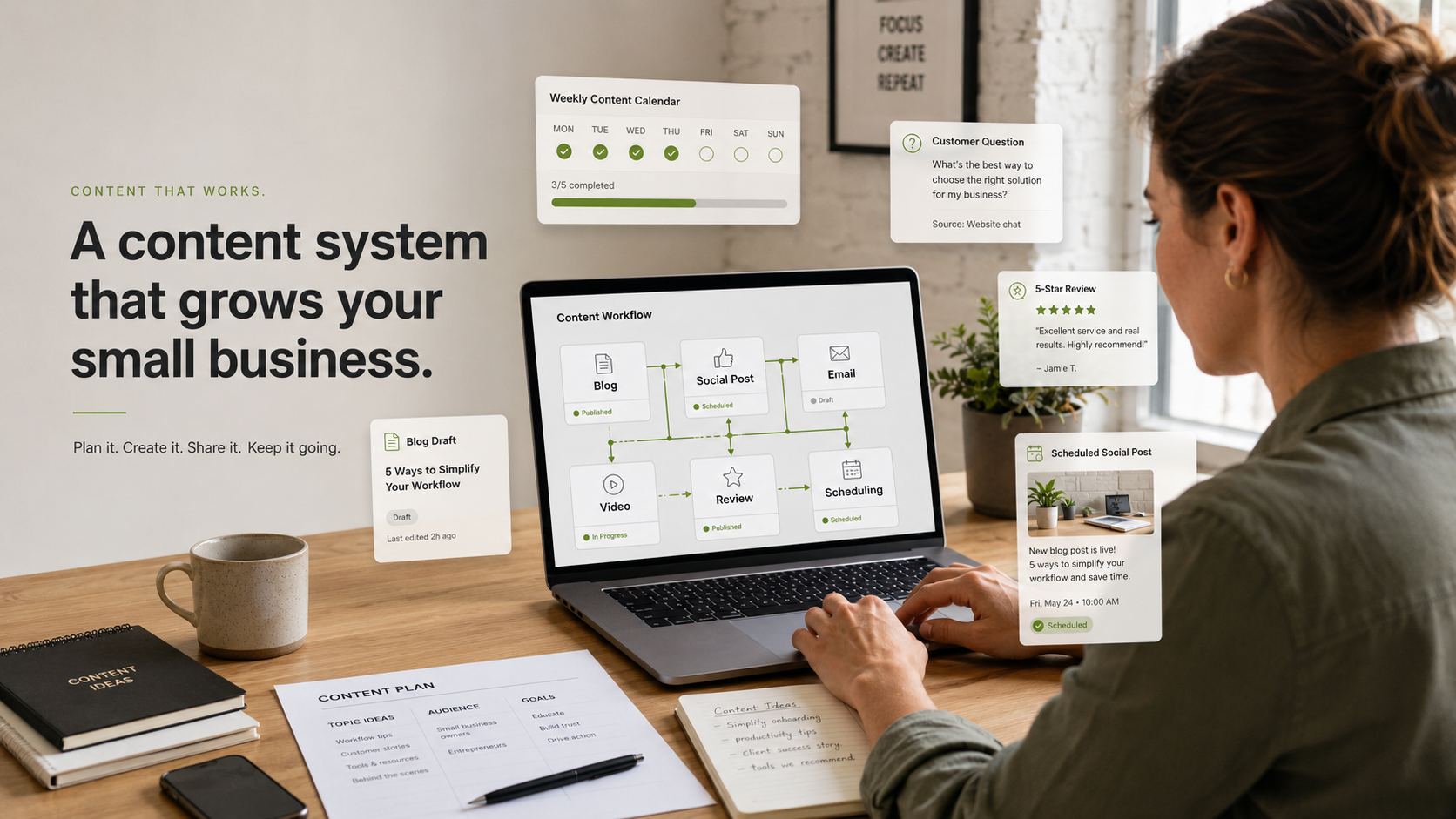
Introduction: Posting Is Not the Problem A content marketing system is what most small businesses are missing. Not more motivation. Not another random content idea. Not a new app that promises to make everything easy while quietly adding one more login to your life. Most businesses do not struggle with content because they have nothing to say. They struggle because every post starts from zero. That is the real problem. The owner sits down and asks, “What should I post today?” Then the brain immediately opens 47 tabs. Should it be educational? Should it be funny? Should it be a reel? Should it be a carousel? Should it be about the service? Should it be about the team? Should it be a trend? Should it be serious? Should it be posted now or later? And by the time all those questions finish fighting in the parking lot, nothing gets posted. That is not a creativity problem. That is a system problem. A content marketing system gives your business a repeatable way to create, organize, publish, and reuse content without reinventing your entire brand every week. It turns content from a random task into a working rhythm. That matters because consistency builds recognition. Recognition builds trust. Trust makes it easier for people to choose you when they finally need what you offer. The goal is not to become an influencer. The goal is to make your business feel alive, useful, and easier to remember. Content should support your business, not become a second job with worse hours. This guide breaks down what a content marketing system is, why it matters, how to build one, what tools can help, and when it makes sense to have the system built for you. Because posting once in a while is activity. A content marketing system is infrastructure. Quick Answer: What Is a Content Marketing System? A content marketing system is a repeatable process for planning, creating, publishing, repurposing, and tracking content. For small businesses, it helps turn blogs, videos, FAQs, reviews, customer questions, and service topics into consistent marketing assets across your website, email, social media, and follow-up channels. What a Content Marketing System Really Means Content marketing is not just posting online. It is not only blogs. It is not only social media. It is not only short videos. The Content Marketing Institute defines content marketing as a strategic approach focused on creating and distributing valuable, relevant, and consistent content to attract and retain a clearly defined audience. That word “consistent” is doing a lot of work. Because consistency is where many businesses fall apart. A content marketing system helps answer the questions that usually slow everything down. What are we saying? Who are we saying it to? Where does it go? How often do we publish? What gets reused? What supports sales? What builds trust? What gets measured? Without a system, content becomes emotional. You post when you feel inspired. You disappear when business gets busy. You come back when leads slow down. Then the cycle repeats. That kind of content rhythm is unstable. It also makes your business look inconsistent from the outside. A content system gives your marketing a structure that does not depend on mood, memory, or panic. That is the difference. Why Small Businesses Struggle With Content Consistency Small businesses are not short on expertise. They are usually short on time, structure, and clear decision-making. The owner knows the business. The team answers customer questions every day. The business has stories, proof, reviews, services, wins, lessons, and examples. But none of that automatically becomes content. It has to be captured. It has to be organized. It has to be turned into something useful. That is where most businesses get stuck. They try to create content directly from their brain to the internet. That works sometimes. But it is not sustainable. A better content marketing system captures ideas before they are needed, organizes them into categories, and turns them into repeatable formats. For example, one customer question can become a blog section, a short video, a social caption, an email tip, a Google Business Profile update, and a follow-up message. That is not more work. That is better use of the same idea. The business stops asking, “What should we post?” It starts asking, “Which part of the system are we using today?” That one shift makes content feel calmer. Content Should Start With Customer Questions The easiest way to build a content marketing system is to stop guessing. Your customers are already telling you what content to create. They ask questions before they buy. They ask questions during the process. They ask questions after the service. They ask questions when they are confused, nervous, curious, skeptical, or comparing options. Those questions are content. If people ask the same thing more than once, it probably deserves a post, a page, a video, or an email. A service business might answer questions about pricing, timelines, preparation, quality, guarantees, availability, or what happens next. A local business might answer questions about hours, booking, products, parking, policies, services, location, or how to choose the right option. A consultant or creator might answer questions about tools, process, results, mistakes, expectations, or common myths. This is also where Google’s guidance matters. Google’s people-first content guidance encourages content that is created primarily for people, not just search engines. That is good news for small businesses. You do not need to sound like a keyword robot wearing a blazer. You need to be useful. When your content answers real customer questions clearly, it supports both trust and search visibility. A Simple Content Marketing System for Small Business A good content marketing system does not need to be huge. It needs to be repeatable. Start with a simple flow. Capture the idea. Turn it into one main content piece. Break that piece into smaller content. Schedule it. Track what works. Improve the system. That is enough. The system can be built around one weekly topic. For

Read more

AI Receptionist for Dental Offices: How to Capture Weekend Calls and Book More Patients

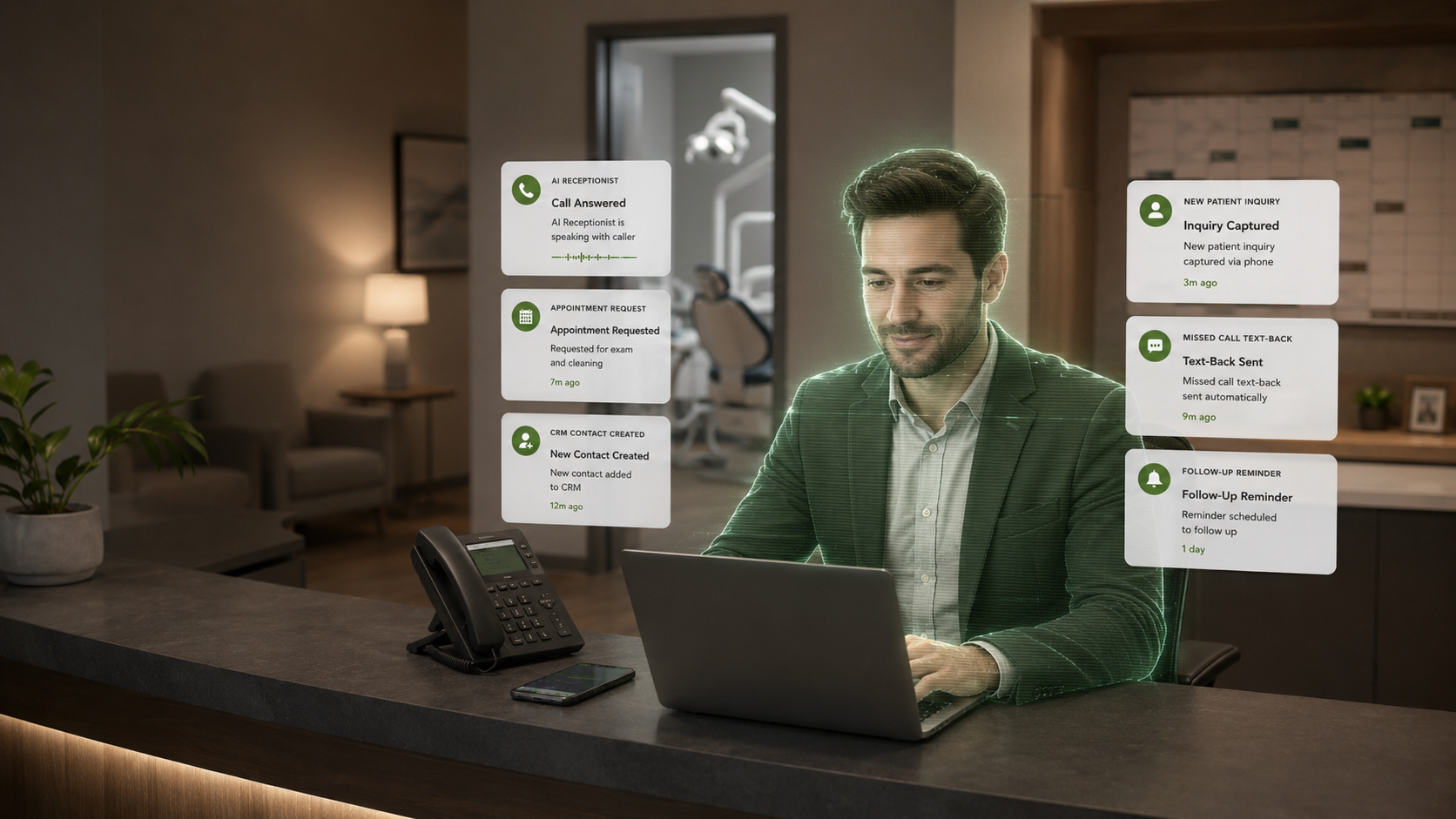
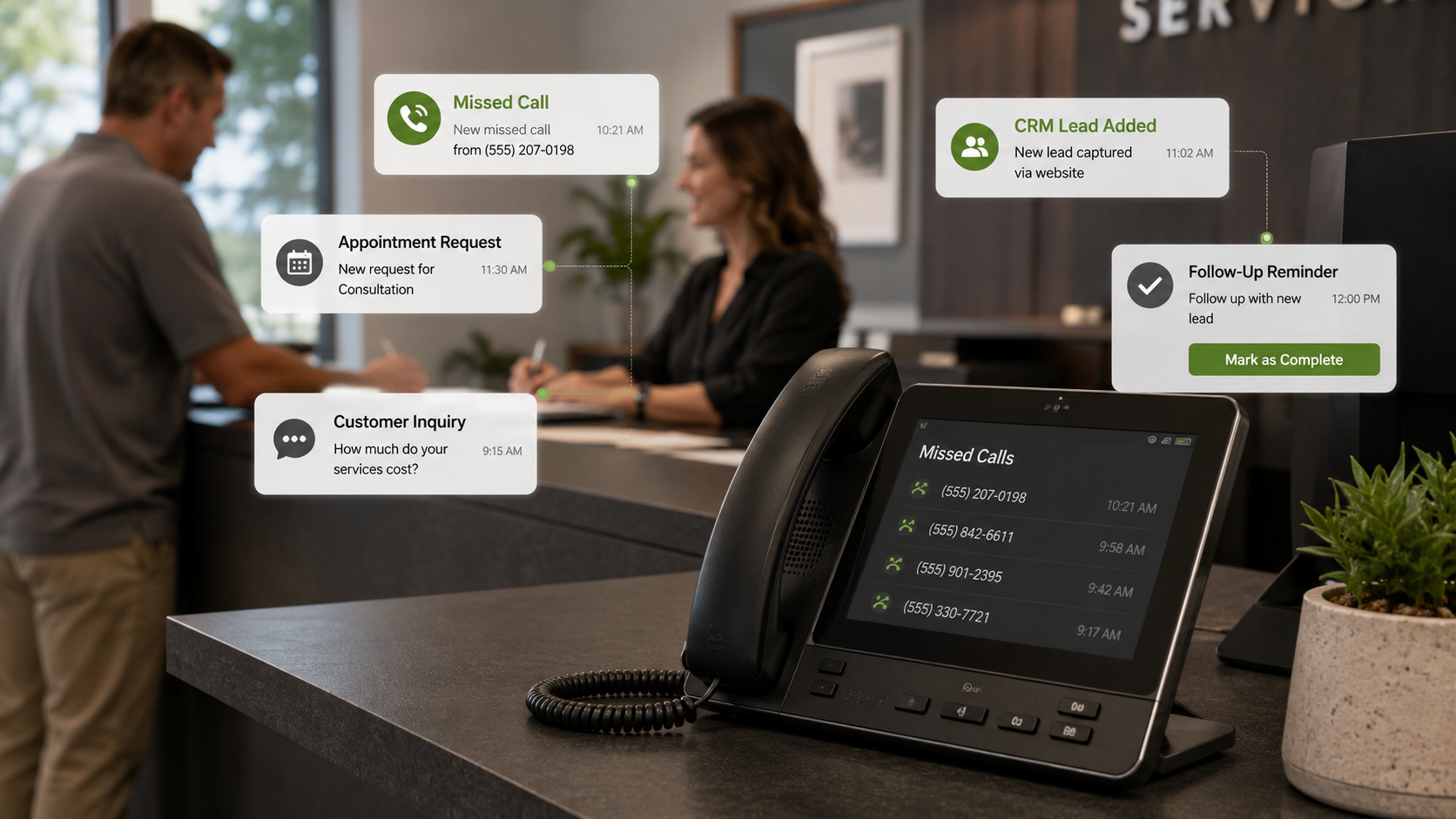
Introduction: Dental Patients Do Not Only Call During Office Hours An AI receptionist for dental offices can help solve a problem that most practices know too well. The phone rings when the team is busy. The phone rings during lunch. The phone rings after hours. The phone rings on Friday evening. The phone rings on the weekend. The phone rings while someone at the front desk is already helping a patient, checking insurance, handling paperwork, calming someone down, and trying not to make direct eye contact with the printer that chose violence again. That is dental office life. The problem is not that the team does not care. The problem is that dental practices are busy, and patients do not only reach out when it is convenient. A potential patient might call after work because that is when they finally have time. A parent might call on the weekend because their child has tooth pain. A nervous patient might call after scrolling through your website for 20 minutes and finally building the courage to ask a question. A cosmetic patient might call to ask about whitening, veneers, Invisalign, or consultation availability. If nobody answers, that moment can disappear. Some people leave voicemails. Some call back. But many call the next practice. That is where an AI receptionist can help. Not as a replacement for your team. As a support system. A properly designed AI receptionist can answer calls, collect patient information, answer approved questions, route urgent needs, offer booking options, send follow-up messages, and make sure calls do not vanish just because the office was closed or busy. For dental offices, this can be a major trust advantage. Patients want to feel seen, heard, and guided. Even when the office is not open. This guide breaks down what an AI receptionist for dental offices does, how it helps with missed calls and appointment requests, what it should and should not handle, where privacy and compliance matter, and how to connect it to your larger dental marketing system. Because the goal is not to sound futuristic. The goal is to stop losing patient interest in the gaps. Quick Answer: What Is an AI Receptionist for Dental Offices? An AI receptionist for dental offices is a voice or messaging system that can answer incoming calls, collect patient details, answer approved questions, route urgent calls, support appointment booking, and trigger follow-up workflows. It helps dental practices stay responsive when staff cannot answer live. Why Dental Offices Miss Valuable Calls Dental offices are phone-heavy businesses. New patients call. Existing patients call. Parents call. Insurance questions come in. Appointment changes happen. Treatment questions come up. Emergency concerns happen. Vendors call too, because apparently they also believe lunch breaks are fictional. The front desk becomes the center of everything. That creates a bottleneck. Even a great front desk team can only handle so much at once. When calls are missed, the practice may lose appointment opportunities without realizing it. A missed call might be a patient trying to schedule a cleaning. It might be a high-value cosmetic consultation. It might be someone looking for an emergency appointment. It might be a parent trying to find care quickly. It might be a returning patient who needs a simple reschedule. The problem is that a missed call does not announce its value. It just shows up as a number. By the time someone calls back, the patient may already have moved on. That is why dental phone answering should be treated as part of the patient acquisition system. Not just office admin. Why Weekend and After-Hours Calls Matter A lot of people search for healthcare services outside regular office hours. They may be at work during the day. They may not have time until evening. They may sit with a dental concern until it becomes uncomfortable enough to act. They may use the weekend to compare providers. That means after-hours calls can carry real intent. If your office is closed and the only option is voicemail, the patient may not feel confident waiting. An AI receptionist can help bridge the gap. It can greet the caller, collect details, explain that the office is closed, answer approved general questions, offer an appointment request option, or send information to the team for follow-up. It can also help separate routine questions from urgent concerns. That does not mean the AI should diagnose or give medical advice. It should not. But it can ask what the patient needs, capture the request, and guide the next step based on the practice’s approved process. That is useful. Because silence is not a patient experience strategy. Appointment Reminders and Patient Communication Need Care Dental practices have to be careful with patient communication. The good news is that appointment reminders are allowed under HIPAA without patient authorization. The U.S. Department of Health and Human Services explains that appointment reminders are considered part of treatment. The American Dental Association’s guidance on phoning patients also explains that covered dental practices can send certain health care messages to patients if they meet specific requirements. That said, dental practices should still avoid sloppy communication. Messages should be clear, limited, and appropriate. They should not reveal unnecessary sensitive details. They should respect opt-outs and patient preferences. If the system uses SMS, the practice should also understand texting and consent rules. Twilio’s U.S. SMS compliance guide is a useful plain-language resource for understanding opt-in, opt-out, and messaging expectations. The goal is not to automate everything just because the tool can. The goal is to communicate responsibly. An AI receptionist should make the patient experience better, not riskier. What an AI Receptionist Can Handle An AI receptionist can be useful for common front-end tasks. It can answer basic questions about office hours, location, services, accepted next steps, and appointment request process. It can collect caller details. It can ask if the caller is a new or existing patient. It can capture the reason for the call. It can offer a booking link

Read more

AI Phone Answering Service for Small Business: The Simple Fix for Missed Leads

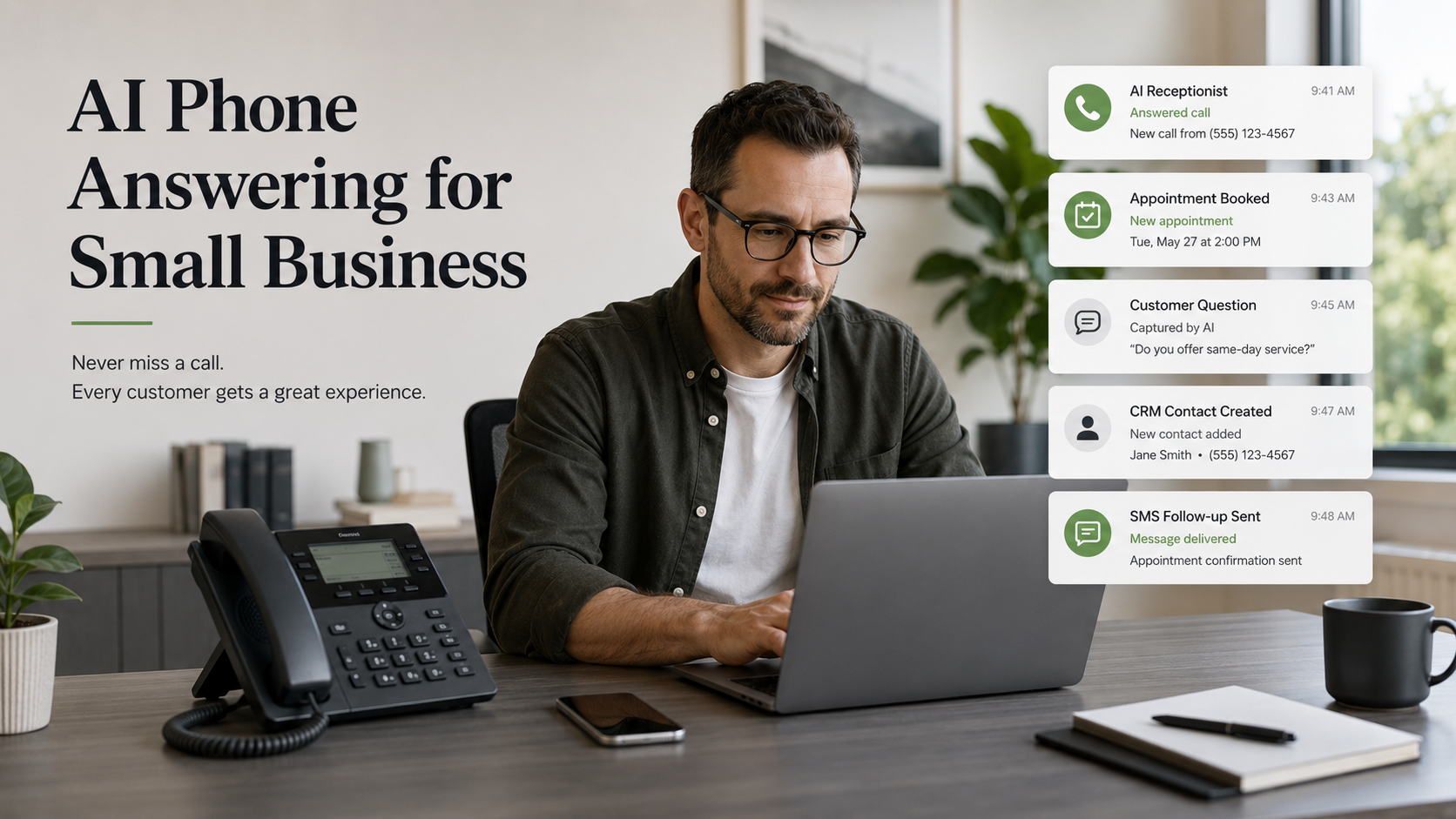
Introduction: Your Business Cannot Always Answer, But It Can Still Respond An AI phone answering service for small business is not about replacing real people. It is about protecting real opportunities. Because small businesses miss calls. That is normal. You might be helping a customer. You might be on another call. You might be driving. You might be closed for the day. Your team might be short-staffed. You might be doing the actual work customers are calling you for. That is the reality of running a business. The problem is that customers do not always wait for reality to calm down. They call when they are ready. They call when they have a question. They call when they need help. They call when they are comparing options. They call when the problem is fresh. If nobody answers, that lead can disappear. That is where an AI phone answering service can help. Used correctly, it can answer basic questions, capture caller details, route inquiries, book appointments, send follow-up messages, and make sure your business does not feel unreachable just because nobody could grab the phone at that exact second. This is especially useful for small businesses where every call can matter. Think about: A missed call in these businesses is not always casual. Sometimes it is revenue trying to walk in through the phone. And revenue is rude like that. It does not always wait politely. This article breaks down: Because the goal is not to sound futuristic. The goal is to stop losing customers just because your phone rang at the wrong time. Quick Answer: What Is an AI Phone Answering Service for Small Business? An AI phone answering service for small business is a phone system that uses AI voice technology to answer calls, collect customer information, answer basic questions, route inquiries, book appointments, and trigger follow-up workflows. It helps businesses stay responsive when staff cannot answer live. What an AI Phone Answering Service Actually Does An AI phone answering service acts like a front-line call assistant. Depending on how it is built, it can: That does not mean the AI should handle everything. It should not try to replace every human conversation. It should handle the repeatable front-end work that keeps leads from getting lost. For example: A customer calls after hours to ask about availability. The AI can answer, collect details, and offer a booking option. A customer calls during the day while staff is busy. The AI can capture the request and notify the team. A caller asks a basic question about services. The AI can provide approved information and guide the caller to the next step. That is useful. But if a customer has a sensitive issue, a complex situation, a complaint, or something that requires judgment, the system should know when to route or escalate. Good AI call handling is not about pretending robots know everything. It is about designing the right handoff. Why Small Businesses Are Looking at AI Call Answering Small businesses are stretched. They need to be responsive, but they do not always have a full-time receptionist, call center, or admin team. That creates a gap. The business wants to serve people well. But the phone rings while the owner is doing five other jobs. That is where AI call answering becomes interesting. It can help with: This is not just about convenience. It is about speed and consistency. Customers are used to fast responses. They expect businesses to be reachable. They may not care that you are short-staffed, in the middle of a job, or finally eating lunch over the sink like a raccoon with responsibilities. They care whether their question gets answered. AI call handling can help you respond without forcing your team to live in panic mode. AI Phone Answering vs. Voicemail Voicemail is passive. AI answering is active. That is the key difference. Voicemail says: “Leave a message, and maybe someone will call you back.” An AI answering service can say: “Thanks for calling. I can help collect your information, answer a few questions, and help you schedule the next step.” That is a very different experience. Voicemail depends on the customer doing extra work. AI can guide the customer through the next step. Voicemail stores a message. AI can structure the information. Voicemail waits. AI can trigger follow-up. Voicemail often feels like a dead end. AI can feel like the business is still present. That does not mean voicemail is useless. It just means voicemail should not be your only backup plan. Where AI Phone Answering Helps Most An AI phone answering service is most useful when your calls are repeatable, time-sensitive, or easy to route. Appointment-Based Businesses Dental offices, salons, clinics, gyms, studios, and consultants can use AI answering to capture appointment requests, answer basic scheduling questions, and push callers toward booking. Service Businesses Contractors, repair companies, cleaning services, landscapers, plumbers, electricians, and other local service providers can use AI to collect job details, location, urgency, and preferred times. Restaurants and Hospitality Restaurants, event spaces, cafes, and hospitality businesses can use AI for hours, directions, reservation questions, menu questions, event inquiries, and basic routing. Real Estate and Legal Real estate agents and law firms can use AI to capture inquiry details, qualify leads, and route urgent or sensitive matters to the right person. For industries with legal, medical, or financial sensitivity, the system should be carefully designed with approved responses and human escalation. AI should not wander into advice territory wearing a fake expert badge. What AI Should and Should Not Handle This is important. Not every call should be handled by AI from start to finish. A good AI phone system has boundaries. AI Can Handle AI can help with: AI Should Not Fully Handle AI should not fully handle: The best setup is not “AI does everything.” The best setup is “AI handles the first layer and knows when to hand off.” That keeps the experience useful instead of weird. Compliance Still

Read more

How Missed Calls Cost Businesses Money and What to Do About It

Introduction: Your Phone Might Be Leaking Money Missed calls cost businesses money in a way that is easy to ignore. Not because business owners do not care. Most care a lot. The problem is that missed calls do not always look like lost revenue right away. They look like a notification. A voicemail. A number you meant to call back. A customer who called during lunch. A lead who reached out while you were helping someone else. A phone ringing while the team was busy. And because nobody complained, it feels like nothing major happened. But something did happen. A customer raised their hand. Your business did not answer in the moment. And in many industries, that moment matters. If someone calls a dentist, plumber, salon, gym, restaurant, contractor, clinic, law office, real estate agent, repair service, or local business, they may not be calling just to chat. They are often trying to solve a problem, ask a question, check availability, book an appointment, or compare options. That call might be the sale. That call might be the booking. That call might be the first step toward a long-term customer. When the call is missed, the opportunity does not politely sit there forever holding a tiny briefcase. It often moves. The person calls someone else. They click the next result. They leave a message and forget. They get distracted. They assume you are too busy. They decide the other business is easier to reach. That is why missed calls cost businesses money. Not every missed call becomes a lost sale, but enough of them do. And for small businesses, a few lost calls per week can become a serious gap over time. This article breaks down: Because the goal is not to answer every call personally forever. The goal is to make sure interested customers do not disappear just because your business was busy for five minutes. Quick Answer: How Do Missed Calls Cost Businesses Money? Missed calls cost businesses money by creating lost sales opportunities, delayed follow-up, lower customer trust, fewer bookings, and more leads choosing competitors. For local businesses, every missed call can represent a potential customer who was ready to ask, book, visit, or buy. Why Missed Calls Matter More Than Most Businesses Think A missed call is not just a communication issue. It is often a conversion issue. That is because phone calls usually happen when someone has intent. They are not casually browsing. They are not just vaguely curious. They may be ready to: That means a missed call may happen at one of the most valuable moments in the customer journey. The customer is already interested enough to take action. That is not the time to let the lead slip into voicemail purgatory. A website can create awareness. A Google Business Profile can create visibility. Social media can create familiarity. But the phone call is often where intent becomes action. That is why missed calls hurt. They interrupt momentum. And in business, momentum matters. Customers Do Not Always Call Back Here is the uncomfortable part. A missed call does not mean the customer will wait. Some people leave voicemails. Some people call back later. Some people send a message. But many people simply move on. Especially when the need is urgent or competitive. If someone needs a same-day appointment, emergency repair, last-minute reservation, product availability, consultation, or quote, they may call multiple businesses. The first business that answers clearly and professionally has an advantage. Not because they are automatically better. Because they were reachable. That is the part many businesses underestimate. Availability feels like trust. When someone reaches your business and gets a fast response, the business feels organized. When they do not, doubt creeps in. They may wonder: That hesitation can cost the sale. And most customers will not send a formal report explaining their thought process. They just leave. Quietly. Like a lead ninja. Voicemail Is Not a Complete Follow-Up System Voicemail can help. But voicemail is not a real lead capture system by itself. It depends on too many things going right. The caller has to leave a message. The message has to be clear. Someone has to listen to it. Someone has to write it down or remember it. Someone has to call back quickly. The caller has to still be interested. That is a lot of hope dressed up as a process. Voicemail also does not feel immediate. Many customers do not want to leave a message. They want an answer. And if the competitor answers while your voicemail is still saying, “Your call is important to us,” the customer may already be gone. This is why businesses need more than voicemail. They need a system that can: That is the difference between “we missed the call” and “we still captured the lead.” The Real Cost of Missed Calls The real cost of missed calls depends on your business. For a restaurant, it may be missed reservations or catering inquiries. For a dentist, it may be missed patient appointments. For a contractor, it may be missed estimates. For a salon, it may be missed bookings. For a law firm, it may be missed consultations. For a gym, it may be missed membership inquiries. For a repair service, it may be missed emergency jobs. The math can add up quickly. For example: If one missed call could have become a $150 appointment, five lost calls per month is $750 in missed revenue. If one missed call could have become a $1,500 service job, losing a few calls per month becomes much more serious. If one missed call could have become a long-term customer, the lifetime value may be much higher than the first transaction. That is why missed calls should not be treated like small interruptions. They should be treated like possible revenue events. Not every call is valuable. Some calls are spam. Some are vendors. Some are people asking questions with no intent to buy. But the problem

Read more

Small Business Website Redesign: 9 Signs Your Website Is Costing You Customers

Introduction: Your Website Might Be Working Against You A small business website redesign is not always about making your site look prettier. Sometimes it is about stopping your website from quietly pushing customers away. That sounds harsh, but it happens every day. A business owner spends money on equipment, staff, product, inventory, signage, tools, training, insurance, and everything else it takes to keep the doors open. But the website? That thing has been sitting untouched since “Blurred Lines” was on the radio. And somehow, it is still expected to bring in leads. That is a lot of pressure for a tired little homepage with blurry photos and a contact form that may or may not work. Here is the real problem. Your website is often the first serious trust check people make before they contact you. They may find you through Google. They may hear about you from a friend. They may see your name on social media. But at some point, a lot of people still visit your website to decide if your business feels real, current, trustworthy, and worth their time. If your website feels outdated, confusing, slow, or neglected, people may never tell you. They just leave. They click back. They choose someone else. They do not schedule a meeting to explain that your homepage gave “abandoned office printer” energy. They move on. That is why a small business website redesign is not just a design project. It is a trust project. A good website helps people understand what you do, who you help, why you are credible, and what step to take next. A weak website creates friction before the conversation starts. This guide breaks down: Because your website should not just exist. It should help your business feel alive, clear, and easy to choose. Quick Answer: When Does a Small Business Need a Website Redesign? A small business needs a website redesign when the site looks outdated, loads slowly, has unclear messaging, lacks mobile-friendly design, has weak calls to action, does not show trust signals, or fails to bring in leads. A redesign should improve clarity, trust, speed, user experience, and conversion. What a Small Business Website Redesign Really Means A small business website redesign is not only changing colors, swapping fonts, or adding a fresh homepage image. That is surface work. A real redesign improves how the website functions as part of your business. It should answer questions like: A redesign should make the website easier to trust and easier to use. That matters because your website is not just for people who already know you. It is for strangers. It is for people comparing you to competitors. It is for people who are almost ready to call but need one more reason to feel confident. When your website works, it reduces hesitation. When it does not, it creates doubt. And doubt is expensive. Why Your Website Matters More Than You Think Some business owners treat their website like an online flyer. They think it is just there to show the phone number, address, and a few service details. But a website does more than list information. It shapes perception. A clean, clear website tells people your business is organized. A fast website tells people you care about their time. A mobile-friendly website tells people you understand how customers actually browse. Strong reviews and testimonials tell people other customers trust you. Clear calls to action tell people what to do next. A website can build confidence before you ever speak to a lead. That is the part many small businesses miss. Customers do not always start with full trust. They start with questions. They wonder if you are legitimate. They wonder if you are still active. They wonder if you are the right fit. They wonder if the process will be simple or annoying. Your website answers those questions without you being in the room. Google’s SEO Starter Guide explains how search engines crawl, index, and understand website content. That means your website has two audiences: people and search systems. The site has to make sense to both. A beautiful website that nobody understands is not good enough. A search-friendly website that feels cold and confusing is not good enough either. Your website needs both clarity and trust. 9 Signs Your Website Is Costing You Customers A website rarely fails all at once. It usually starts with little issues that build up over time. One outdated page becomes five outdated pages. One missing photo becomes a weak visual identity. One confusing button becomes fewer inquiries. Then the business owner says, “We are not getting enough leads,” while the website is in the corner looking guilty. Here are the signs it may be time for a small business website redesign. 1. Your Website Looks Outdated Design trends change, but this is not about chasing trends. It is about looking current enough to be trusted. If your site has tiny text, crowded layouts, old stock photos, low-quality images, outdated fonts, or a layout that screams “built before smartphones took over,” visitors may question whether your business is still active. That may not be fair. But online, perception moves fast. An outdated website can make a strong business look behind. 2. The Site Is Hard to Use on Mobile Most people are not patiently exploring your website on a giant desktop monitor with a cup of tea and jazz playing. They are on their phone. They are in the car. They are between tasks. They are comparing options while doing three other things. If your mobile site is hard to read, hard to tap, or hard to navigate, people leave. Mobile-friendly design is no longer a bonus. It is basic customer respect. Your phone is where trust either gets built or fumbled. 3. Your Website Loads Too Slowly Slow websites lose patience. And patience online is already built like a paper straw. If your pages take too long to load, people may leave before they see

Read more

Google Business Profile Optimization 2026: The Local Visibility Fix Most Businesses Ignore

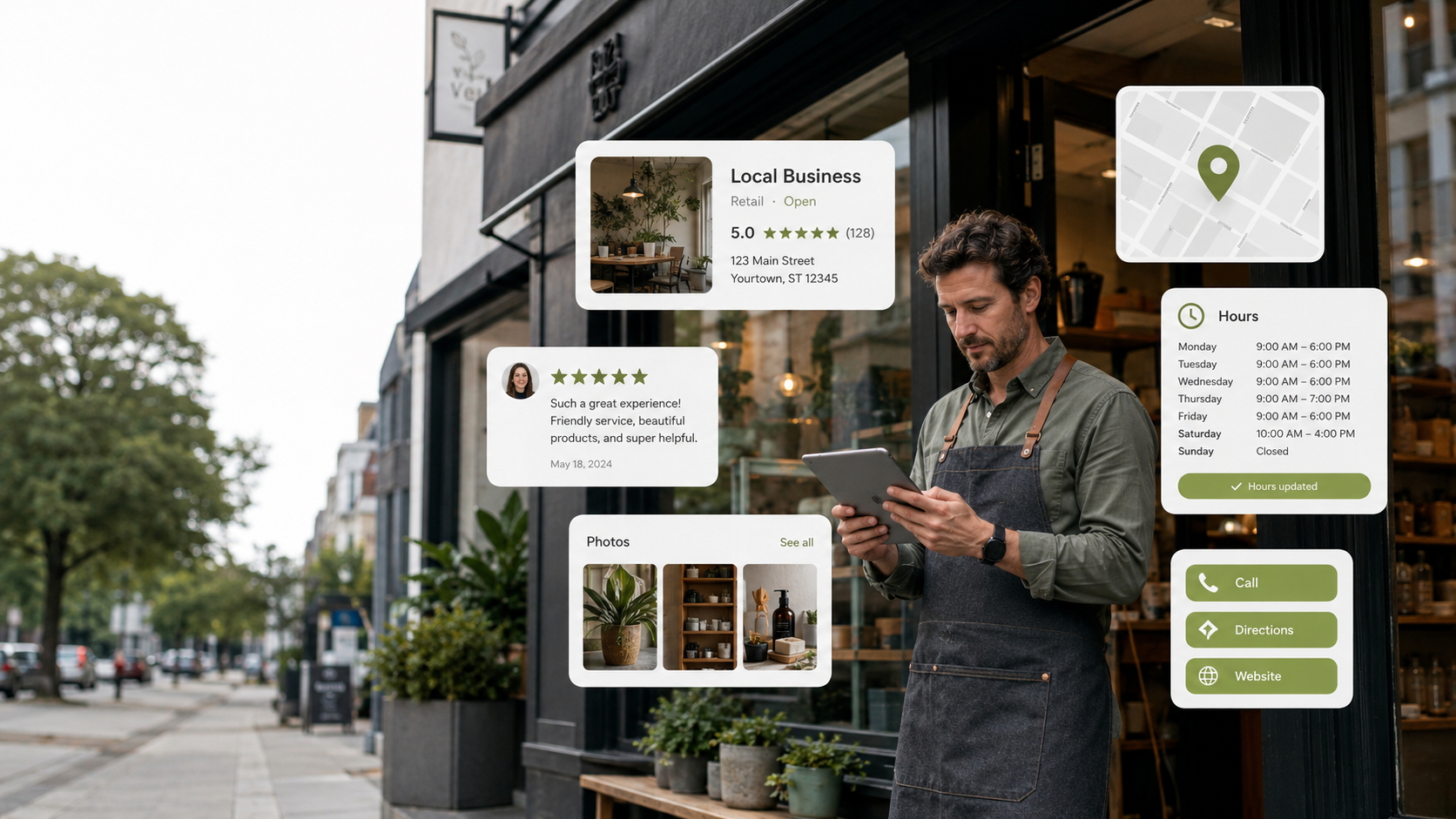
Introduction: Your Google Profile Might Be Doing More Work Than Your Website Google Business Profile optimization is one of the simplest local marketing moves a small business can make. And somehow, it is also one of the most ignored. A lot of business owners treat their Google Business Profile like a basic listing. Name. Address. Phone number. Hours. Done. Then they wonder why the business is not showing up better, why competitors look more active, or why customers keep asking questions that should already be answered online. Here is the reality. Your Google Business Profile may be the first place customers judge your business. Before they visit your website, they may see your reviews. Before they call, they may check your hours. Before they ask for directions, they may look at your photos. Before they trust you, they may compare you to three other businesses nearby. And if your profile looks outdated, incomplete, or neglected, that sends a message. Not the message you want. But still a message. A strong Google Business Profile helps customers understand who you are, what you do, where you are, when you are open, what people say about you, and how to take action. It is not just a map listing. It is a local trust page. And for some businesses, it may be the most viewed digital asset they have. That is why Google Business Profile optimization matters. Not because it is trendy. Not because every marketing person needs another phrase to toss around like confetti. Because local customers are already using Google to decide where to go, who to call, and who feels safe to choose. This guide breaks down: Because being listed is not the same as being trusted. Your profile should not just exist. It should help people choose you. Quick Answer: What Is Google Business Profile Optimization? Google Business Profile optimization is the process of improving your business profile on Google Search and Maps so customers can find accurate information, see trust signals, read reviews, view photos, understand your services, and take action. It helps local businesses look active, credible, and easier to contact. Why Google Business Profile Optimization Matters Your Google Business Profile is often a high-intent touchpoint. That means people who see it may already be looking for a business like yours. They are not casually scrolling. They are searching. They may need a dentist, salon, restaurant, contractor, gym, repair service, consultant, boutique, studio, or local provider. That is a valuable moment. And in that moment, your profile has to do a lot of work quickly. It needs to show: Google’s official Business Profile page explains how businesses can use a free Business Profile to appear on Google Search and Maps, add photos, share posts, manage reviews, and help customers connect. That is not a small thing. For local businesses, Google is often the first door people walk through. If that door looks dusty, broken, or confusing, customers may not keep walking. What Customers Look At Before They Contact You Customers may not carefully study every part of your profile. But they scan more than you think. They look for fast trust signals. Reviews Reviews are usually one of the first things people notice. They look at the star rating. They look at the number of reviews. They read recent comments. They check how you respond. A business with strong reviews and thoughtful responses feels more active and credible. A business with unanswered reviews may look like nobody is paying attention. Google’s Business Profile Help Center includes guidance for managing profile details, reviews, photos, settings, and other Business Profile basics. That matters because review responses show future customers how you communicate. Your response is not only for the person who left the review. It is for everyone watching. Photos Photos help people picture the experience. They want to see the space, the work, the product, the team, the menu, the results, or the environment. Old photos can create uncertainty. Low-quality photos can lower confidence. No photos at all can make a business feel invisible. Your profile photos should answer silent questions. What does this place look like? What kind of work do they do? Does this feel clean, current, and professional? Would I feel comfortable here? Hours Wrong hours create frustration fast. If someone drives to your business and finds out the hours were wrong, that is not just an information issue. That is a trust issue. Hours should be updated for holidays, special events, seasonal changes, and temporary closures. Services Your profile should make it clear what you offer. If people cannot tell whether you provide the service they need, they may move to a competitor. Do not make them guess. List your main services clearly. Website and Contact Options Your profile should make the next step easy. Call. Visit website. Get directions. Book. Message. Whatever action matters most, make sure it works. If the phone number is wrong, the website link is broken, or the booking option is missing, that is a conversion leak. A small one at first. Then it becomes a pattern. The Biggest Google Business Profile Mistakes Most businesses do not ignore their profile on purpose. They set it up once and then forget it exists. That is how problems start. Mistake 1: Treating the Profile Like a Static Listing Your profile should not be a digital business card sitting in a drawer. It should be updated. Add photos. Respond to reviews. Update services. Check hours. Share occasional posts. Keep the information fresh. A profile that looks active creates more confidence than one that looks abandoned. Mistake 2: Not Responding to Reviews Reviews should not be ignored. Positive reviews deserve acknowledgment. Negative reviews deserve calm, professional responses. Even short responses matter. They show that someone is present. They show that the business cares. They show future customers how you handle feedback. No response can look like silence. And silence online gets interpreted in weird ways. People start filling in the blanks like

Read more

Online Presence for Small Business: Why Being Good Is Not Enough Anymore In 2026

Introduction: Being Good Is Not Enough If Nobody Can See It Online presence for small business growth is not optional anymore. That might sound dramatic, but it is true. A business can have great service, loyal customers, years of experience, and a strong reputation offline. But if the online version of that business looks outdated, inactive, confusing, or half-abandoned, new customers may never give it a chance. That is the part a lot of business owners do not want to hear. Because from the inside, they know the business is good. They know the work is solid. They know customers like them. They know they care. They know they are not some fly-by-night operation. But customers do not see the inside first. They see the outside. They see your website. They see your Google Business Profile. They see your reviews. They see your social media. They see your photos. They see whether your hours are updated. They see whether your brand looks alive or like it went on vacation and never came back. And in today’s world, people make decisions fast. They compare you to the business down the street. They compare you to the newer competitor with cleaner photos, better reviews, a smoother website, and an easier way to book. They compare your digital presence before they ever call you. That means your online presence is not just “marketing.” It is trust. It is proof of life. It is the digital front door customers walk through before deciding if they want to deal with you. And here is where it gets uncomfortable. A newer business can look more trustworthy than an older business if its digital presence is stronger. Not because it is better. Because it looks easier to trust. That is the problem this article is solving. If your business is good but your online presence does not show it, you may be losing customers before the conversation even starts. This guide breaks down: Because the goal is not to become famous online. The goal is to look active, trustworthy, and easy to choose. That is the real win. Quick Answer: What Is Online Presence for Small Business? Online presence for small business means the full digital footprint people see when they search for, compare, or judge your business online. It includes your website, Google Business Profile, reviews, social media, photos, content, contact options, booking process, and follow-up systems. A strong online presence helps customers feel confident before they ever call, book, visit, or buy. What Online Presence for Small Business Really Means Online presence for small business is more than having a website. That is the first mistake. A lot of business owners think, “I have a website, so I’m good.” Not quite. That is like saying you own a gym membership, so you are automatically in shape. Respectfully, the treadmill has not seen you since February. Your online presence is the full digital footprint people see when they look up your business. That includes: Each piece sends a signal. Some signals build trust. Some signals create doubt. A clean website says, “This business is organized.” Updated hours say, “This business respects my time.” Recent posts say, “This business is active.” Strong reviews say, “Other people trust them.” Clear booking says, “This will be easy.” Old photos, broken links, missing contact info, and inactive social pages say something too. They say, “You might have to work too hard to deal with us.” That is not the message most business owners mean to send. But customers do not judge your intention. They judge what is in front of them. Your digital presence is the story people build before they meet you. Why Customers Judge Your Business Before They Contact You Most customers do not start with loyalty. They start with uncertainty. They want to know: That happens before the phone call. Before the appointment. Before the form submission. Before the sale. This is why online presence matters so much for small businesses. It helps reduce hesitation. Think about how you shop or search. If you need a dentist, plumber, hairstylist, restaurant, gym, photographer, daycare, mechanic, or consultant, what do you probably do first? You search. Then you scan. You look at photos. You check reviews. You visit the website. You see if the business has recent activity. You compare options. You make a quick judgment. It is not always fair, but it is real. People may not say, “I did not choose them because their website looked outdated.” They just leave. They back out. They click the next result. That is the silent cost of a weak digital presence. It does not always show up as a complaint. It shows up as fewer calls, fewer bookings, lower trust, and more people choosing competitors you know are not even better than you. That part stings. But it is fixable. The Biggest Online Presence Gaps Small Businesses Miss Most online presence problems are not huge at first. They are small gaps that stack up. One outdated page is not the end of the world. One missing photo is not a crisis. One inactive social account will not destroy your business. But when all of those things pile up together, the business starts to look neglected. That is when the trust problem begins. Gap 1: The Website Looks Outdated Your website does not need to win a design award. It does need to feel current. If your website looks old, loads slowly, has broken pages, uses blurry images, or makes people hunt for basic information, it can quietly cost you customers. A small business website should clearly answer: If visitors cannot figure that out quickly, they may leave. Not because they hate you. Because the internet trained people to move fast. If your site needs a stronger foundation, reliable hosting matters. For small business owners building on WordPress, Hostinger can help keep hosting affordable without overcomplicating the setup. But hosting is only one part. The bigger issue is clarity. A

Read more